Beget mail: create a mailbox
| Create a mailbox for a domain |
Beget is a hosting provider; a domain hosted there can have mailboxes such as admin@your-domain at no extra cost. The screenshots show the Russian version of the control panel, so the button names are given in English with the Russian label in brackets. How to choose a hosting provider: Which hosting to choose.
Create a mailbox for a domain
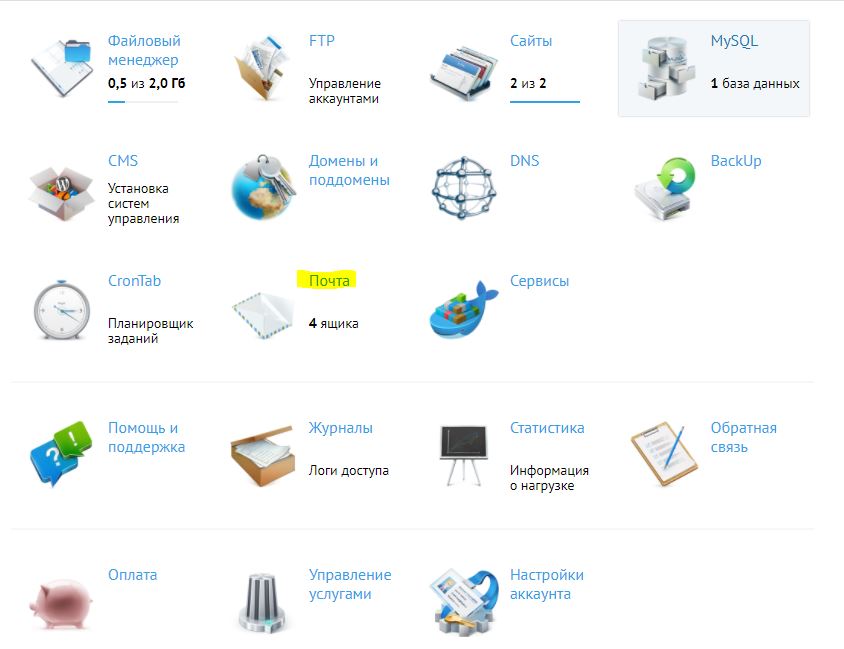
Log in to the control panel and click Mail (Почта):
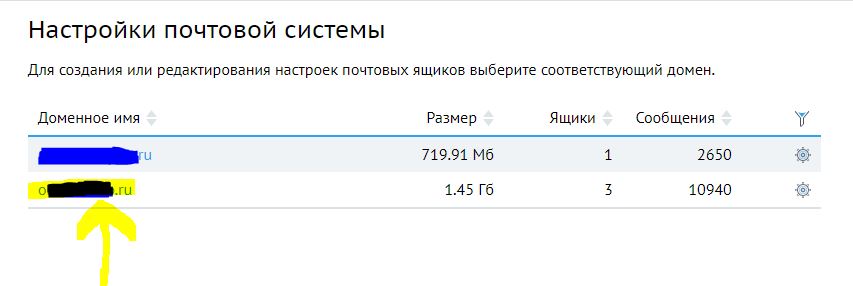
Click the domain the mailbox is for:
Under Create a new mailbox (Создание нового почтового ящика) choose the domain (Домен), type the mailbox name (Имя почтового ящика), the part before the @, and a password (Пароль почтового ящика). Then click Create (Создать):
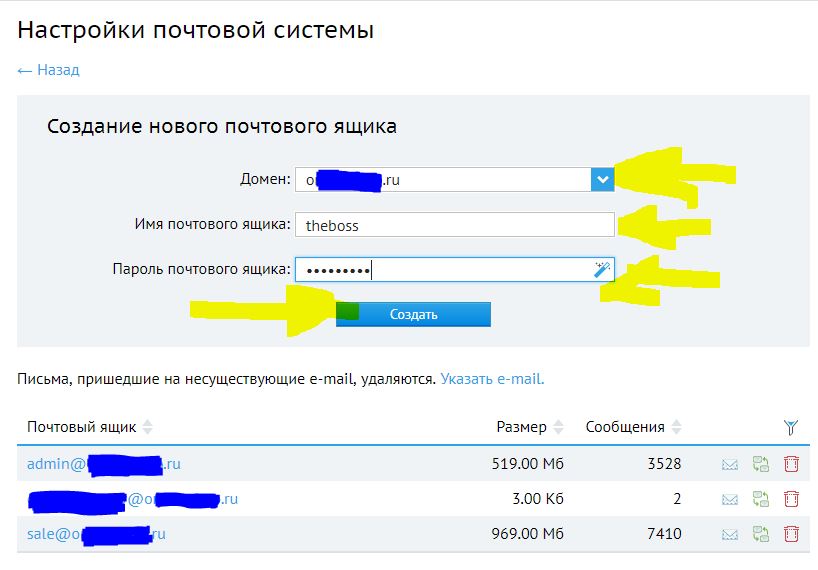
The new address appears in the list of mailboxes with its size and the number of messages:

The note under the form says that mail sent to addresses that do not exist is deleted; the link next to it sets an address that receives such mail instead. To read this mailbox in another mail service, see Yandex Mail: collect mail from other mailboxes.
Article authors: Andrei Olegovich, Klavdiya Kondakova