Visual Studio

↓ Contents ↓
Introduction
Изменить размер шрифта
Комментировать выделенную область
Отключить Precompiled Headers VS 2019

Introduction

Увеличить шрифт

Tools → Options в разделе Environment выбрать Fonts and Colors
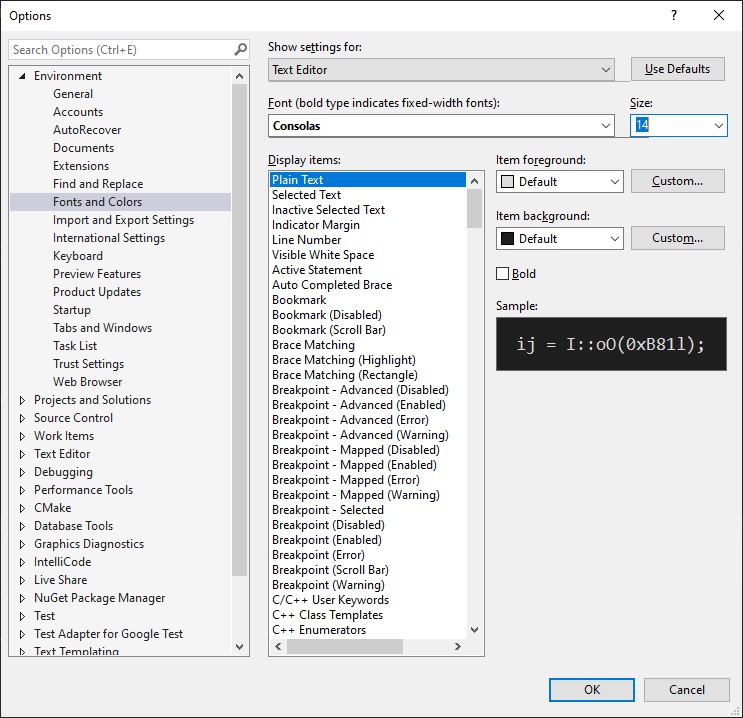
изменить размер шрифта в Visual Studio 2019 в Windows 10  image from website www.aredel.com

Комментировать выделенную область

Нажать Ctrl + K отпустить K и нажать C

To раскомментировать выделенную область текста нужно:

Нажать Ctrl + K отпустить K и нажать U

Отключить Precompiled Headers VS 2019

Правый клик на название проекта - Properties
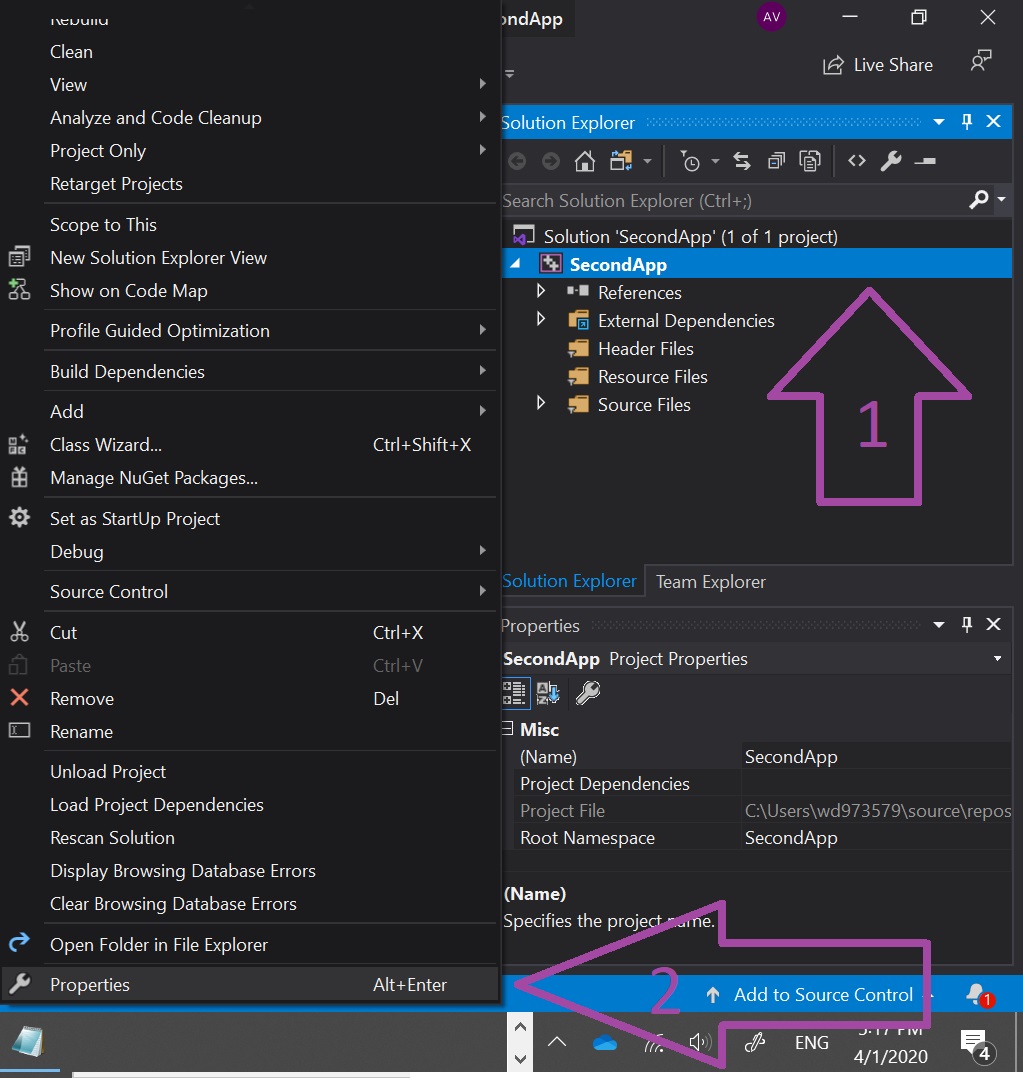
Отключить Precompiled Headers в Visual Studio 2019 в Windows 10  image from website www.aredel.com

Слева: C/C++ → Precompiled Headers →

Спарава: в выпадающем меню у Precompiled Header → Not Using Precompiled Headers

Отключить Precompiled Headers в Visual Studio 2019 в Windows 10  image from website www.aredel.com

Понять получилось ли их убрать или нет можно по отсутствию или наличию строки

#include "stdafx.h"

Article author: Andrei Olegovich

Related articles
IDE
Visual Studio

Search this site

Channel @aofeed Chat @aofeedchat

Contacts and cooperation:
I recommend our hosting beget.ru
Write to info@urn.su, info@aredel.com if you:
1. Want to write an article for our site or translate an article into your native language.
2. Want to place thematically relevant ads on the site.
3. Ads on my site pass maximum censorship. If you see an ad block unsuitable for school-age children, shocking or misleading - please contact us by e-mail
4. Found a mistake, inaccuracy, bug, etc. on the site. ... .......
5. Articles can be shared on social media by clicking a network icon: