PyWinAuto
| Введение | |
| Установка | |
| Пример применения | |
| print_control_identifiers() | |
| Объекты во вложенных меню | |
| Пример поиска вложенного объекта | |
| Похожие статьи |
Введение
pywinauto - это набор модулей
python
для автоматизации графического интерфейса
Microsoft Windows
.
В самом простом варианте он позволяет отправлять действия мыши и клавиатуры в диалоговые окна и элементы управления Windows.
Официальная документация
Установка
python -m pip install pywinauto
Collecting pywinauto Downloading pywinauto-0.6.8-py2.py3-none-any.whl (362 kB) ━━━━━━━━━━━━━━━━━━━━━━━━━━━━━━━━━━━━━━━━ 362.9/362.9 kB ? eta 0:00:00 Collecting six Using cached six-1.16.0-py2.py3-none-any.whl (11 kB) Collecting comtypes Downloading comtypes-1.2.0-py2.py3-none-any.whl (184 kB) ━━━━━━━━━━━━━━━━━━━━━━━━━━━━━━━━━━━━━━━━ 184.3/184.3 kB ? eta 0:00:00 Collecting pywin32 Downloading pywin32-306-cp311-cp311-win_amd64.whl (9.2 MB) ━━━━━━━━━━━━━━━━━━━━━━━━━━━━━━━━━━━━━━━━ 9.2/9.2 MB 21.8 MB/s eta 0:00:00 Installing collected packages: pywin32, comtypes, six, pywinauto Successfully installed comtypes-1.2.0 pywin32-306 pywinauto-0.6.8 six-1.16.0
Пример
from pywinauto.application import Application app = Application(backend='uia').start('notepad.exe') # app = Application(backend='win32').start('')
python pywinauto_tutorial.py
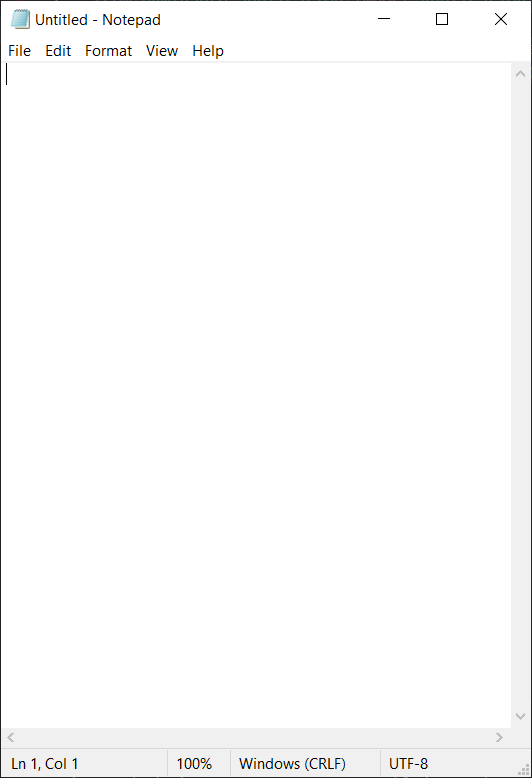
from pywinauto.application import Application app = Application(backend='uia').start('notepad.exe') app = Application(backend='uia').connect(title='Untitled - Notepad', timeout=100)
print_control_identifiers()
Чтобы управлять приложением, нужно получить список объектов - контроллеров. Сделать это можно с помощью print_control_identifiers()
print_control_identifiers() выводит на экран список всех контроллеров доступных из текущего состояния приложения а не вообще все контроллеры.
from pywinauto.application import Application app = Application(backend='uia').start('notepad.exe') app = Application(backend='uia').connect(title='Untitled - Notepad', timeout=100) app.UntitledNotepad.print_control_identifiers()
Control Identifiers: Dialog - 'Untitled - Notepad' (L-1127, T248, R-579, B1034) ['Untitled - Notepad', 'Untitled - NotepadDialog', 'Dialog'] child_window(title="Untitled - Notepad", control_type="Window") | | Edit - 'Text Editor' (L-1118, T311, R-588, B996) | ['Edit', 'Edit0', 'Edit1'] | child_window(title="Text Editor", auto_id="15", control_type="Edit") | | | | ScrollBar - 'Vertical' (L-609, T311, R-588, B975) | | ['VerticalScrollBar', 'Vertical', 'ScrollBar', 'ScrollBar0', 'ScrollBar1'] | | child_window(title="Vertical", auto_id="NonClientVerticalScrollBar", control_type="ScrollBar") | | | | | | Button - 'Line up' (L-609, T311, R-588, B332) | | | ['Button', 'Line up', 'Line upButton', 'Button0', 'Button1'] | | | child_window(title="Line up", auto_id="UpButton", control_type="Button") | | | | | | Button - 'Line down' (L-609, T954, R-588, B975) | | | ['Button2', 'Line downButton', 'Line down'] | | | child_window(title="Line down", auto_id="DownButton", control_type="Button") | | | | ScrollBar - 'Horizontal' (L-1118, T975, R-609, B996) | | ['HorizontalScrollBar', 'ScrollBar2', 'Horizontal'] | | child_window(title="Horizontal", auto_id="NonClientHorizontalScrollBar", control_type="ScrollBar") | | | | | | Button - 'Column left' (L-1118, T975, R-1097, B996) | | | ['Button3', 'Column left', 'Column leftButton'] | | | child_window(title="Column left", auto_id="UpButton", control_type="Button") | | | | | | Button - 'Column right' (L-630, T975, R-609, B996) | | | ['Button4', 'Column rightButton', 'Column right'] | | | child_window(title="Column right", auto_id="DownButton", control_type="Button") | | | | Thumb - '' (L-609, T975, R-588, B996) | | ['Thumb'] | | StatusBar - 'Status Bar' (L-1118, T996, R-588, B1025) | ['StatusBar', 'Status Bar', 'Status BarStatusBar'] | child_window(title="Status Bar", auto_id="1025", control_type="StatusBar") | | | | Static - '' (L0, T0, R0, B0) | | ['Static', 'Static0', 'Static1'] | | | | Static - ' Ln 1, Col 1' (L-1118, T998, R-951, B1025) | | [' Ln 1, Col 1Static', 'Static2', ' Ln 1, Col 1'] | | child_window(title=" Ln 1, Col 1", control_type="Text") | | | | Static - ' 100%' (L-949, T998, R-888, B1025) | | [' 100%Static', ' 100%', 'Static3'] | | child_window(title=" 100%", control_type="Text") | | | | Static - ' Windows (CRLF)' (L-886, T998, R-738, B1025) | | [' Windows (CRLF)Static', ' Windows (CRLF)', 'Static4'] | | child_window(title=" Windows (CRLF)", control_type="Text") | | | | Static - ' UTF-8' (L-736, T998, R-608, B1025) | | [' UTF-8', ' UTF-8Static', 'Static5'] | | child_window(title=" UTF-8", control_type="Text") | | TitleBar - '' (L-1098, T251, R-588, B286) | ['TitleBar'] | | | | Menu - 'System' (L-1118, T257, R-1090, B285) | | ['System', 'Menu', 'SystemMenu', 'System0', 'System1', 'Menu0', 'Menu1'] | | child_window(title="System", auto_id="MenuBar", control_type="MenuBar") | | | | | | MenuItem - 'System' (L-1118, T257, R-1090, B285) | | | ['System2', 'SystemMenuItem', 'MenuItem', 'MenuItem0', 'MenuItem1'] | | | child_window(title="System", control_type="MenuItem") | | | | Button - 'Minimize' (L-766, T249, R-706, B286) | | ['Button5', 'Minimize', 'MinimizeButton'] | | child_window(title="Minimize", control_type="Button") | | | | Button - 'Maximize' (L-706, T249, R-647, B286) | | ['Button6', 'Maximize', 'MaximizeButton'] | | child_window(title="Maximize", control_type="Button") | | | | Button - 'Close' (L-647, T249, R-587, B286) | | ['Button7', 'Close', 'CloseButton'] | | child_window(title="Close", control_type="Button") | | Menu - 'Application' (L-1118, T286, R-588, B310) | ['Application', 'Menu2', 'ApplicationMenu'] | child_window(title="Application", auto_id="MenuBar", control_type="MenuBar") | | | | MenuItem - 'File' (L-1118, T286, R-1081, B310) | | ['FileMenuItem', 'File', 'MenuItem2'] | | child_window(title="File", control_type="MenuItem") | | | | MenuItem - 'Edit' (L-1081, T286, R-1041, B310) | | ['Edit2', 'EditMenuItem', 'MenuItem3'] | | child_window(title="Edit", control_type="MenuItem") | | | | MenuItem - 'Format' (L-1041, T286, R-980, B310) | | ['Format', 'FormatMenuItem', 'MenuItem4'] | | child_window(title="Format", control_type="MenuItem") | | | | MenuItem - 'View' (L-980, T286, R-934, B310) | | ['View', 'ViewMenuItem', 'MenuItem5'] | | child_window(title="View", control_type="MenuItem") | | | | MenuItem - 'Help' (L-934, T286, R-888, B310) | | ['MenuItem6', 'HelpMenuItem', 'Help'] | | child_window(title="Help", control_type="MenuItem")
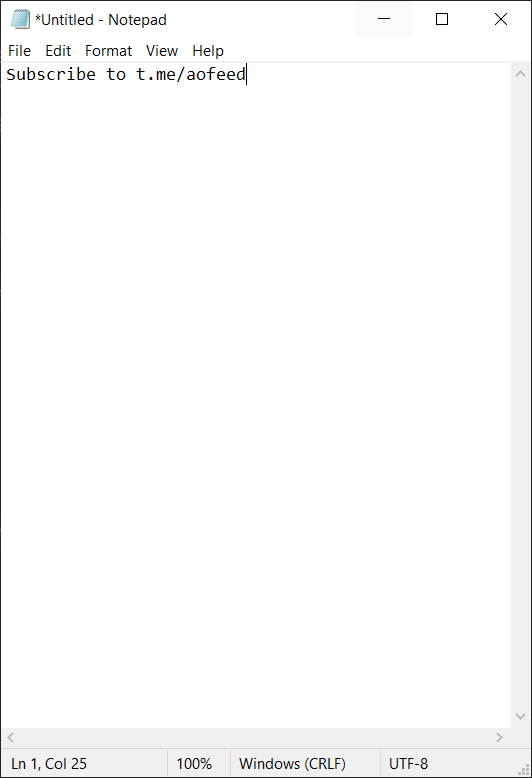
from pywinauto.application import Application app = Application(backend='uia').start('notepad.exe') app = Application(backend='uia').connect( title='Untitled - Notepad', timeout=100 ) # app.UntitledNotepad.print_control_identifiers() text_editor = app.UntitledNotepad.child_window( title="Text Editor", auto_id="15", control_type="Edit" ).wrapper_object() text_editor.type_keys( "Subscribe to t.me/aofeed", with_spaces=True )
Объекты во вложенных меню
Когда мы в первый раз использовали
print_control_identifiers()
был получен список всех контроллеров, доступных из стартового окна.
Чтобы полуить списки контроллеров, которые доступны из подменю, нужно сперва выполнить
click_input()
на нужное меню и затем сразу же выполнить
print_control_identifiers()
Действуя по этому алгоритму можно создать библиотеку из всех доступных контроллеров.
from pywinauto.application import Application app = Application(backend='uia').start('notepad.exe') app = Application(backend='uia').connect( title='Untitled - Notepad', timeout=100 ) # app.UntitledNotepad.print_control_identifiers() text_editor = app.UntitledNotepad.child_window( title="Text Editor", auto_id="15", control_type="Edit" ).wrapper_object() text_editor.type_keys( "Subscribe to t.me/aofeed", with_spaces=True ) file_menu = app.UntitledNotepad.child_window(title="File", control_type="MenuItem").wrapper_object() file_menu.click_input() app.UntitledNotepad.print_control_identifiers()
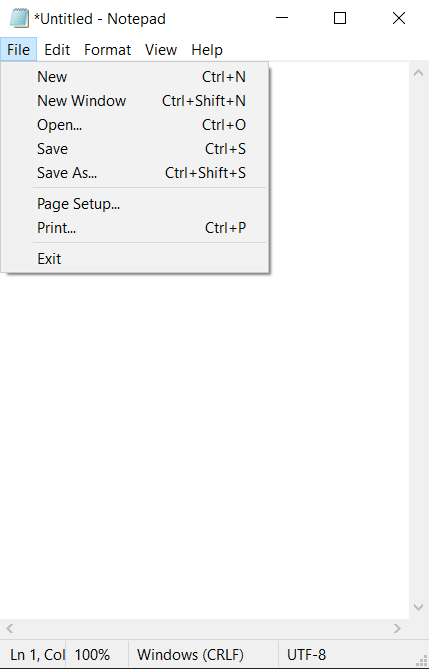
Control Identifiers: Dialog - '*Untitled - Notepad' (L-1512, T253, R641, B1009) ['*Untitled - Notepad', 'Dialog', '*Untitled - NotepadDialog'] child_window(title="*Untitled - Notepad", control_type="Window") | | Menu - 'File' (L-1503, T315, R-1234, B527) | ['File', 'FileMenu', 'Menu', 'Menu0', 'Menu1', 'File0', 'File1'] | child_window(title="File", control_type="Menu") | | | | MenuItem - 'New Ctrl+N' (L-1500, T318, R-1237, B342) | | ['New\tCtrl+N', 'New\tCtrl+NMenuItem', 'MenuItem', 'MenuItem0', 'MenuItem1'] | | child_window(title="New Ctrl+N", auto_id="1", control_type="MenuItem") | | | | MenuItem - 'New Window Ctrl+Shift+N' (L-1500, T342, R-1237, B366) | | ['MenuItem2', 'New Window\tCtrl+Shift+N', 'New Window\tCtrl+Shift+NMenuItem'] | | child_window(title="New Window Ctrl+Shift+N", auto_id="8", control_type="MenuItem") | | | | MenuItem - 'Open... Ctrl+O' (L-1500, T366, R-1237, B390) | | ['Open...\tCtrl+O', 'Open...\tCtrl+OMenuItem', 'MenuItem3'] | | child_window(title="Open... Ctrl+O", auto_id="2", control_type="MenuItem") | | | | MenuItem - 'Save Ctrl+S' (L-1500, T390, R-1237, B414) | | ['Save\tCtrl+SMenuItem', 'Save\tCtrl+S', 'MenuItem4'] | | child_window(title="Save Ctrl+S", auto_id="3", control_type="MenuItem") | | | | MenuItem - 'Save As... Ctrl+Shift+S' (L-1500, T414, R-1237, B438) | | ['MenuItem5', 'Save As...\tCtrl+Shift+S', 'Save As...\tCtrl+Shift+SMenuItem'] | | child_window(title="Save As... Ctrl+Shift+S", auto_id="4", control_type="MenuItem") | | | | MenuItem - 'Page Setup...' (L-1500, T445, R-1237, B469) | | ['Page Setup...MenuItem', 'MenuItem6', 'Page Setup...'] | | child_window(title="Page Setup...", auto_id="5", control_type="MenuItem") | | | | MenuItem - 'Print... Ctrl+P' (L-1500, T469, R-1237, B493) | | ['Print...\tCtrl+P', 'MenuItem7', 'Print...\tCtrl+PMenuItem'] | | child_window(title="Print... Ctrl+P", auto_id="6", control_type="MenuItem") | | | | MenuItem - 'Exit' (L-1500, T500, R-1237, B524) | | ['Exit', 'ExitMenuItem', 'MenuItem8'] | | child_window(title="Exit", auto_id="7", control_type="MenuItem") | | Edit - 'Text Editor' (L-1503, T316, R632, B971) | ['Edit', 'Edit0', 'Edit1'] | child_window(title="Text Editor", auto_id="15", control_type="Edit") | | | | ScrollBar - 'Vertical' (L611, T316, R632, B950) | | ['Vertical', 'ScrollBar', 'VerticalScrollBar', 'ScrollBar0', 'ScrollBar1'] | | child_window(title="Vertical", auto_id="NonClientVerticalScrollBar", control_type="ScrollBar") | | | | | | Button - 'Line up' (L611, T316, R632, B337) | | | ['Line up', 'Line upButton', 'Button', 'Button0', 'Button1'] | | | child_window(title="Line up", auto_id="UpButton", control_type="Button") | | | | | | Button - 'Line down' (L611, T929, R632, B950) | | | ['Line down', 'Line downButton', 'Button2'] | | | child_window(title="Line down", auto_id="DownButton", control_type="Button") | | | | ScrollBar - 'Horizontal' (L-1503, T950, R611, B971) | | ['Horizontal', 'ScrollBar2', 'HorizontalScrollBar'] | | child_window(title="Horizontal", auto_id="NonClientHorizontalScrollBar", control_type="ScrollBar") | | | | | | Button - 'Column left' (L-1503, T950, R-1482, B971) | | | ['Column leftButton', 'Column left', 'Button3'] | | | child_window(title="Column left", auto_id="UpButton", control_type="Button") | | | | | | Button - 'Column right' (L590, T950, R611, B971) | | | ['Button4', 'Column right', 'Column rightButton'] | | | child_window(title="Column right", auto_id="DownButton", control_type="Button") | | | | Thumb - '' (L611, T950, R632, B971) | | ['Thumb'] | | StatusBar - 'Status Bar' (L-1503, T971, R632, B1000) | ['StatusBar', 'Status Bar', 'Status BarStatusBar'] | child_window(title="Status Bar", auto_id="1025", control_type="StatusBar") | | | | Static - '' (L-1503, T973, R94, B1000) | | ['Static', 'Static0', 'Static1'] | | | | Static - ' Ln 1, Col 25' (L96, T973, R269, B1000) | | [' Ln 1, Col 25', 'Static2', ' Ln 1, Col 25Static'] | | child_window(title=" Ln 1, Col 25", control_type="Text") | | | | Static - ' 100%' (L271, T973, R332, B1000) | | ['Static3', ' 100%', ' 100%Static'] | | child_window(title=" 100%", control_type="Text") | | | | Static - ' Windows (CRLF)' (L334, T973, R482, B1000) | | [' Windows (CRLF)', ' Windows (CRLF)Static', 'Static4'] | | child_window(title=" Windows (CRLF)", control_type="Text") | | | | Static - ' UTF-8' (L484, T973, R612, B1000) | | [' UTF-8Static', 'Static5', ' UTF-8'] | | child_window(title=" UTF-8", control_type="Text") | | TitleBar - '' (L-1483, T256, R632, B291) | ['TitleBar'] | | | | Menu - 'System' (L-1503, T262, R-1475, B290) | | ['System', 'SystemMenu', 'Menu2', 'System0', 'System1'] | | child_window(title="System", auto_id="MenuBar", control_type="MenuBar") | | | | | | MenuItem - 'System' (L-1503, T262, R-1475, B290) | | | ['System2', 'MenuItem9', 'SystemMenuItem'] | | | child_window(title="System", control_type="MenuItem") | | | | Button - 'Minimize' (L454, T254, R514, B291) | | ['Minimize', 'MinimizeButton', 'Button5'] | | child_window(title="Minimize", control_type="Button") | | | | Button - 'Maximize' (L514, T254, R573, B291) | | ['Button6', 'Maximize', 'MaximizeButton'] | | child_window(title="Maximize", control_type="Button") | | | | Button - 'Close' (L573, T254, R633, B291) | | ['CloseButton', 'Close', 'Button7'] | | child_window(title="Close", control_type="Button") | | Menu - 'Application' (L-1503, T291, R632, B315) | ['ApplicationMenu', 'Application', 'Menu3'] | child_window(title="Application", auto_id="MenuBar", control_type="MenuBar") | | | | MenuItem - 'File' (L-1503, T291, R-1466, B315) | | ['File2', 'MenuItem10', 'FileMenuItem'] | | child_window(title="File", control_type="MenuItem") | | | | MenuItem - 'Edit' (L-1466, T291, R-1426, B315) | | ['EditMenuItem', 'MenuItem11', 'Edit2'] | | child_window(title="Edit", control_type="MenuItem") | | | | MenuItem - 'Format' (L-1426, T291, R-1365, B315) | | ['FormatMenuItem', 'MenuItem12', 'Format'] | | child_window(title="Format", control_type="MenuItem") | | | | MenuItem - 'View' (L-1365, T291, R-1319, B315) | | ['View', 'ViewMenuItem', 'MenuItem13'] | | child_window(title="View", control_type="MenuItem") | | | | MenuItem - 'Help' (L-1319, T291, R-1273, B315) | | ['Help', 'HelpMenuItem', 'MenuItem14'] | | child_window(title="Help", control_type="MenuItem")

Пример поиска вложенного объекта
Откроем новое окно.
Для этого в предыдущем выводе найдём
… | | MenuItem - 'New Window Ctrl+Shift+N' (L-1500, T342, R-1237, B366) | | ['MenuItem2', 'New Window\tCtrl+Shift+N', 'New Window\tCtrl+Shift+NMenuItem'] | | child_window(title="New Window Ctrl+Shift+N", auto_id="8", control_type="MenuItem") …
Скопируем строку с clild_window, но вместо New Window Ctrl+Shift+N используем New Window\tCtrl+Shift+N
from pywinauto.application import Application app = Application(backend='uia').start('notepad.exe') app = Application(backend='uia').connect( title='Untitled - Notepad', timeout=100 ) # app.UntitledNotepad.print_control_identifiers() text_editor = app.UntitledNotepad.child_window( title="Text Editor", auto_id="15", control_type="Edit" ).wrapper_object() text_editor.type_keys( "Subscribe to t.me/aofeed", with_spaces=True ) file_menu = app.UntitledNotepad.child_window(title="File", control_type="MenuItem").wrapper_object() file_menu.click_input() app.UntitledNotepad.print_control_identifiers() new_window = app.UntitledNotepad.child_window(title="New Window\tCtrl+Shift+N", auto_id="8", control_type="MenuItem").wrapper_object() new_window.click_input()
Диалоговое окно
Для простоты не будем открывать новое окно. Откроем блокнот, введём текст и с помощью контроллера close
… | | Button - 'Close' (L573, T254, R633, B291) | | ['CloseButton', 'Close', 'Button7'] | | child_window(title="Close", control_type="Button") …
закроем блокнот. Появится диалоговое окно Save, Don't Save и так далее.
В этот момент нужно распечатать контроллеры этого диалогового окна и использовать нужный.
from pywinauto.application import Application app = Application(backend='uia').start('notepad.exe') app = Application(backend='uia').connect( title='Untitled - Notepad', timeout=100 ) text_editor = app.UntitledNotepad.child_window( title="Text Editor", auto_id="15", control_type="Edit" ).wrapper_object() text_editor.type_keys( "Subscribe to t.me/aofeed", with_spaces=True ) file_menu = app.UntitledNotepad.child_window( title="File", control_type="MenuItem" ).wrapper_object() file_menu.click_input() close = app.UntitledNotepad.child_window( title="Close", control_type="Button" ).wrapper_object() close.click_input() app.UntitledNotepad.print_control_identifiers() dont_save = app.UntitledNotepad.child_window( title="Don't Save", auto_id="CommandButton_7", control_type="Button" ).wrapper_object() dont_save.click_input()
… Control Identifiers: Dialog - '*Untitled - Notepad' (L321, T173, R769, B851) ['Dialog', '*Untitled - Notepad', '*Untitled - NotepadDialog', 'Dialog0', 'Dialog1'] child_window(title="*Untitled - Notepad", control_type="Window") | | Dialog - 'Notepad' (L1042, T568, R1500, B745) | ['Notepad', 'Dialog2', 'NotepadDialog'] | child_window(title="Notepad", control_type="Window") | | | | Static - 'Do you want to save changes to Untitled?' (L1064, T619, R1427, B647) | | ['Static', 'Do you want to save changes to Untitled?', 'Do you want to save changes to Untitled?Static', 'Static0', 'Static1'] | | child_window(title="Do you want to save changes to Untitled?", auto_id="MainInstruction", control_type="Text") | | | | Static - '' (L0, T0, R0, B0) | | ['Static2'] | | child_window(auto_id="ContentText", control_type="Text") | | | | Button - 'Save' (L1174, T696, R1261, B725) | | ['Button', 'Save', 'SaveButton', 'Button0', 'Button1'] | | child_window(title="Save", auto_id="CommandButton_6", control_type="Button") | | | | Button - 'Don't Save' (L1269, T696, R1383, B725) | | ['Button2', "Don't SaveButton", "Don't Save"] | | child_window(title="Don't Save", auto_id="CommandButton_7", control_type="Button") | | | | Button - 'Cancel' (L1391, T696, R1478, B725) | | ['Cancel', 'Button3', 'CancelButton'] | | child_window(title="Cancel", auto_id="CommandButton_2", control_type="Button") | | | | TitleBar - '' (L1051, T571, R1491, B606) | | ['TitleBar', 'TitleBar0', 'TitleBar1'] | | | | | | Button - 'Close' (L1448, T569, R1492, B606) | | | ['Button4', 'CloseButton', 'Close', 'CloseButton0', 'CloseButton1', 'Close0', 'Close1'] | | | child_window(title="Close", control_type="Button") …
Контроллеры
Существует два набора контроллеров:
Article author: Andrei Olegovich
| Automation | |
| pywinauto | |
| Python |